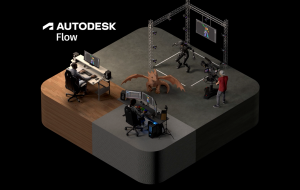
Every production is a negotiation between the story an artist wants to tell and the resources available to realize it. Between the first idea and final frame, creative teams are constantly refining and deciding what ultimately makes it on screen or in game. That process is part of the craft, but teams also spend valuable time waiting for footage to arrive, for feedback, or for a first animation pass. Generative AI can produce an impressive image or clip quickly, but professional production requires work to hold together across shots, teams, revisions, and the rest of the pipeline. At Autodesk, we see an opportunity to bring AI into the professional workflows artists already rely on, removing friction, creating stronger starting points, and helping teams make decisions faster, while maintaining precise control. At AU 2026, we brought that idea to life through Robots of the Wild West, a fictional story about Rusty and Lasso Liz, two robots fighting to save their town from a ruthless gold miner. Using elements of their story, we demonstrated how AI combined with digital tools can shorten iteration loops across character exploration, on-set review, scene assembly, and animation, helping creators bring more of their imagination to their story faster.
Getting to a character faster
Depending on complexity and requirements, building a production-ready 3D character can take days, weeks, or even months of concepting, modeling, texturing, rigging, and review. AI does not replace that work, but it can change how quickly it begins. Using Rusty the robot as our starting point, Autodesk Flow Studio turned a text prompt into an initial 3D asset in minutes. Image-based prompting with AI models like Google’s Nano Banana then generated design variations in seconds. Neither produces a final production character. Instead, they compress the front end of the process so artists can reach the next creative decision faster.
Bringing reviews closer to the moment of capture
Production and post-production teams increasingly work across cities, countries, and time zones. Autodesk Flow Capture connects them through secure, cloud-based dailies and reviews, allowing teams to provide remote direction to stage and camera crews, review takes, annotate frames, and make decisions in real time. Flow Capture’s Smart Search and Actions (in Tech Preview) uses AI to analyze footage, surface problems and execute tasks, such as generating a playlist, enabling potential production issues to be flagged and fixed while the team is still on set. While it does not replace the judgement of the crew, it does provide an additional automated check that can help avoid expensive fixes in post.
Assembling scenes requires direction and precise control
Artists need more than the ability to generate a character or environment quickly. They need to be able to direct – to see how a shot was built, revisit decisions, swap out elements, and keep iterating without starting over. That is the idea behind Flow Studio’s 3D Editor + Canvas. Using elements from Robots of the Wild West, we combined a performance from video, a generated character, and an environment from World Labs’ Marble. Flow Studio kept the character, performance, camera, environment, and animation separate and controllable, so each could be changed without rebuilding the whole shot. Unlike workflows that end with a flattened image or video result, Flow Studio workflows prioritize generating and preserving structured scene information: motion capture that creates editable animation, for example, or camera tracking that creates editable camera animation. This gives artists control over the elements of the shot rather than just the pixels of a generated result, so they can better direct the performance of their characters and the environment in which they are performing. 3D Editor is where creators control the scene itself: performance, camera, staging, timing, and environment. Canvas complements that workflow with a node-based 2D workspace where a structured scene becomes the starting point for exploring and refining the final visual result with leading image and video AI models. Together, both spaces connect scene direction to generative exploration.This shift from prompting to directing allows professional creators to maintain control over what was generated, change the camera without losing the performance, and replace an environment without rebuilding the shot.
Bringing AI into specialized animation workflows
Artists still rely on specialized tools like Maya and 3ds Max to provide deep, granular control. Autodesk’s approach is to bring AI into those workflows rather than ask artists to choose one or the other. Examples of AI tools we have recently added include gaussian splats in 3ds Max and MotionMaker in Maya. At AU 2026, we demonstrated how MotionMaker streamlines the process of animation by automating fundamental locomotion using Rusty’s horse. By instantly handling gait transitions, speed changes, steering, and jumps based on a simple motion path and timing, it frees you up to focus on the performance. Crucially, MotionMaker outputs editable animation curves—not baked pixels—allowing you to directly refine and direct the generated motion using the familiar Maya toolset. The AI handles the repetitive groundwork, leaving the ultimate creative shaping entirely in your hands. For studios, provenance matters alongside control. MotionMaker is trained on motion data captured by Autodesk, giving customers clarity about the data used to train the model. Bring Your Own Data is an additional capability that allows teams to train custom generative motion models using their own rigs and animation libraries. This brings the characteristics of their work into AI-assisted animation, while artists continue to direct and refine the results in Maya.
The work still belongs to the artist
For professional production, automating a task is not the same as replacing the creative process. The value comes when artists can get to a stronger starting point faster, iterate more freely, and still control and refine the result. That is what the imagined world of Robots of the Wild West helped us make tangible at AU 2026. Rather than replicate the full complexity of a production onstage, we showed how elements of that world could begin to take shape and remain open to direction and refinement. AI can give artists more capacity through stronger starting points, faster feedback, editable outputs, and clarity about the data behind the tools. But the story, craft, and decisions still belong to the artist. Our job is to make sure artists have the tools to do more of it.