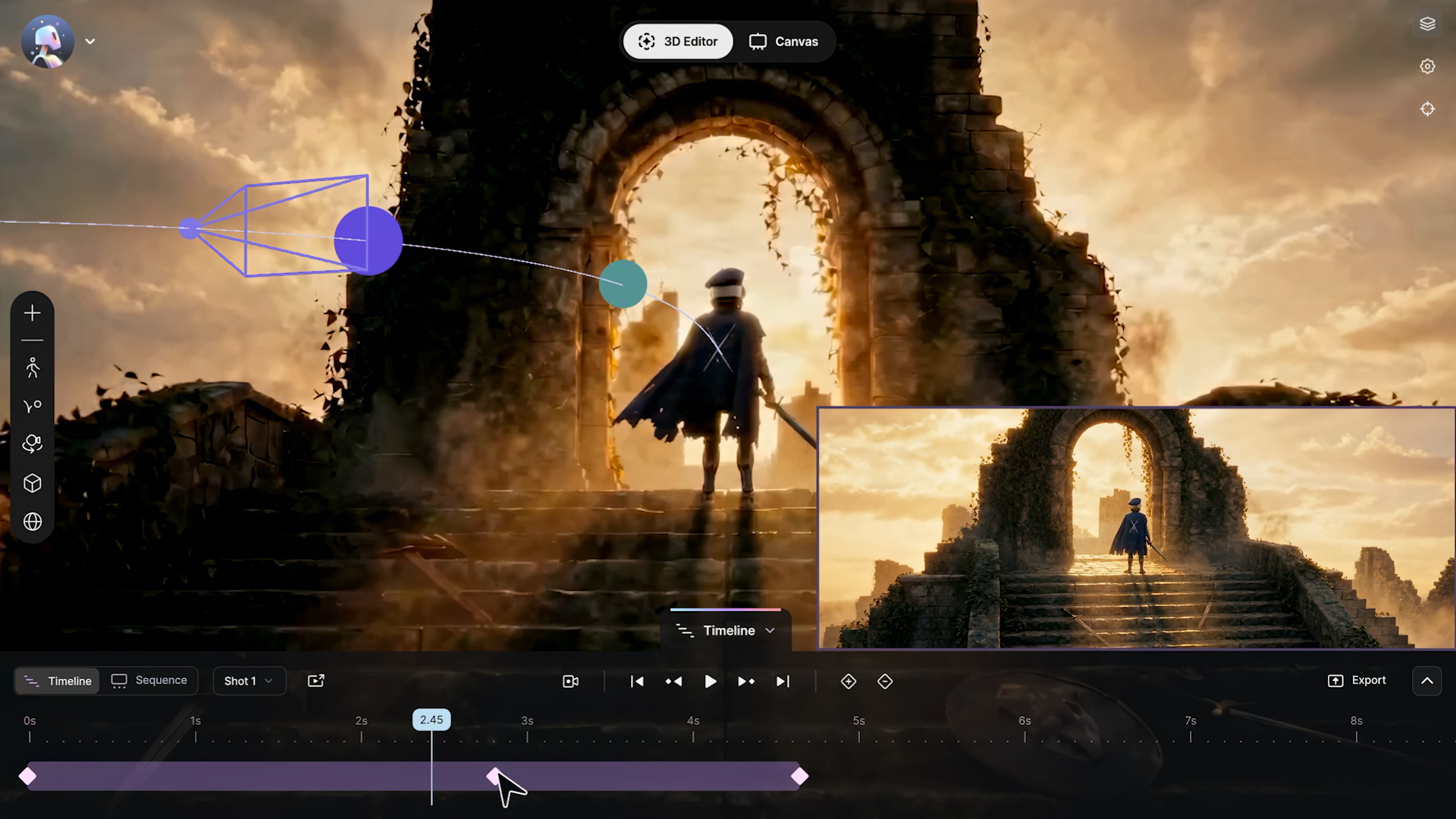
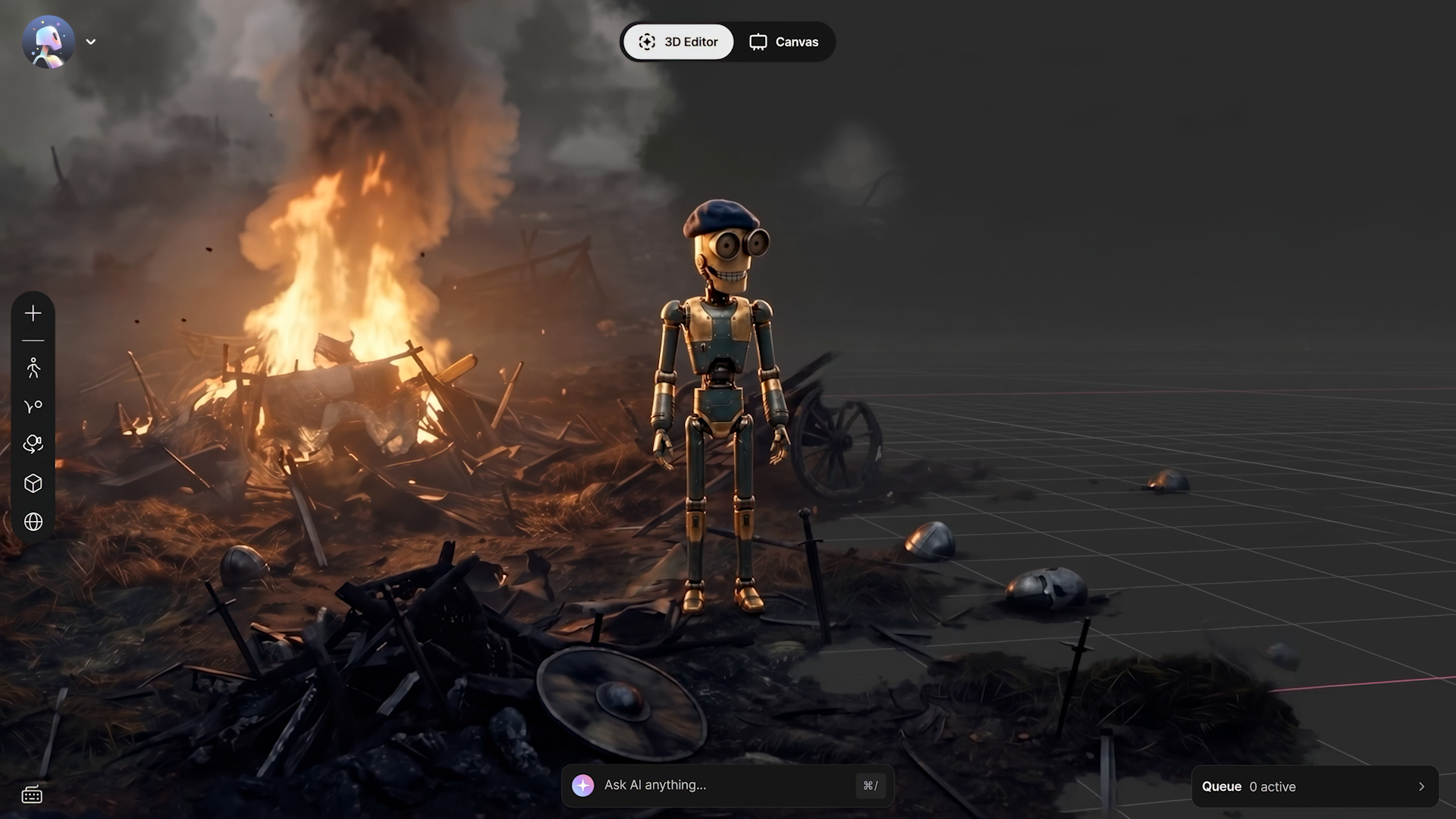
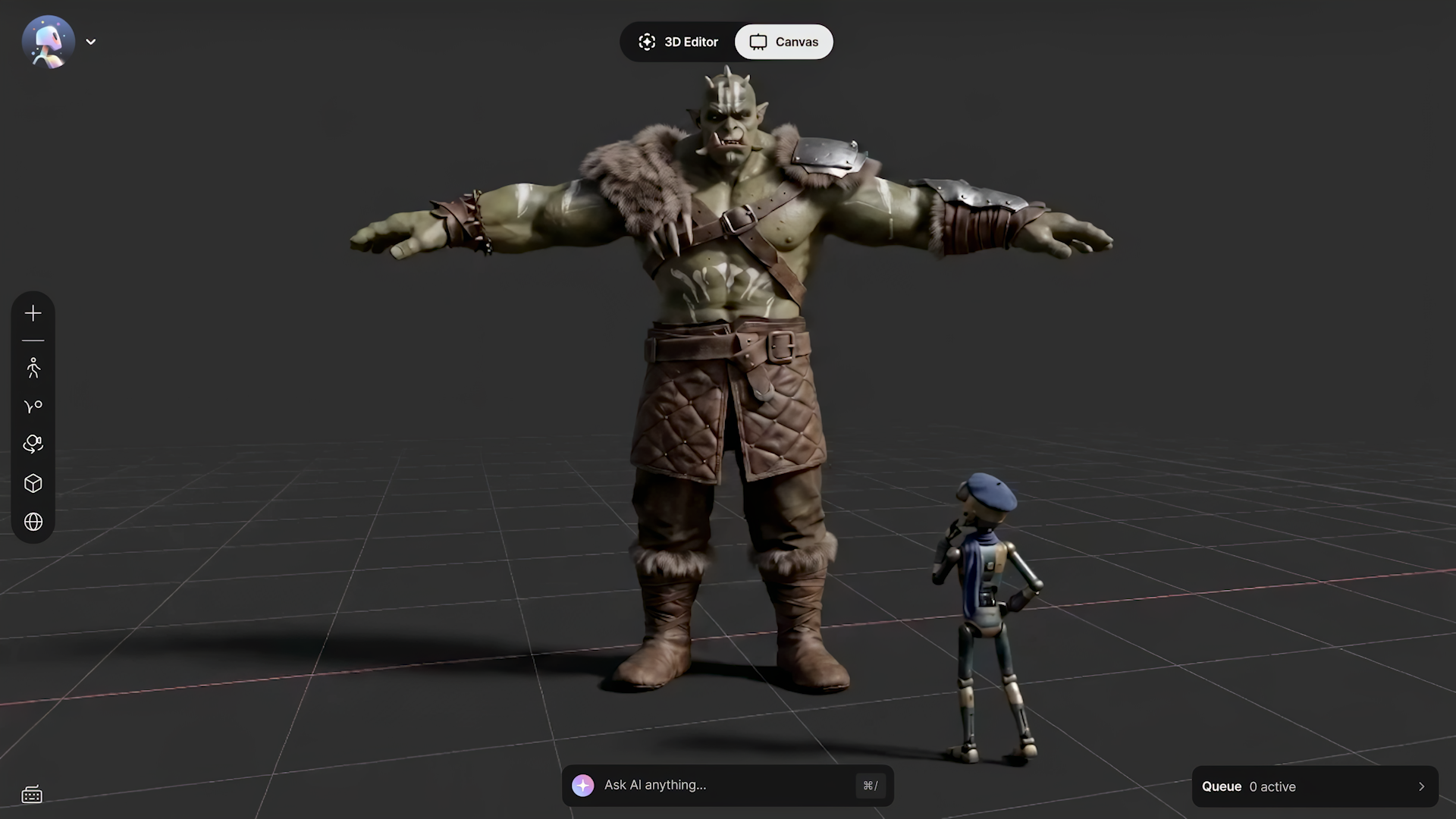
3D Editor + Canvas in Flow Studio addresses one of the biggest limitations of AI video creation: control. It helps creators combine AI-generated characters, assets, and scenes from Flow Studio with AI-generated worlds and environments from tools like World Labs Marble into cohesive, cinematic scenes they can direct, control, and refine in minutes.
02
Creators can now work directly in 3D while AI handles the final rendering, giving them greater control over composition, camera movement, performance, and timing while bringing together the strengths of both 2D and 3D workflows.
03
As a major expansion of Flow Studio, 3D Editor + Canvas advances Autodesk's vision of an AI-native creative platform that brings generation, direction, scene assembly, rendering, and refinement together in a single platform.
Autodesk Flow Studio’s new 3D Editor + Canvas solves one of the biggest limitations of AI video creation: precise control. Rather than relying solely on 2D video models that offer less control over the outcome, creators can build and direct scenes in a realistic 3D environment–giving them precise control over cameras, animation, blocking, and the environment–while still taking advantage of 2D video models for the final look.
Autodesk Flow Studio’s 3D Editor + Canvas brings AI-powered scene building, direction, and refinement into one creative workspace.
As generative AI tools make it faster to create characters, environments, and other visual assets, the next challenge is turning those elements into cohesive shots that creators can direct, control, and refine. Creating assets is becoming easier but shaping them into intentional scenes still requires precise control over performance, camera movement, composition, and timing. Today, Autodesk announced 3D Editor + Canvas, a major expansion of Autodesk Flow Studio and the next step in its evolution into an AI-native creative platform. Rather than relying on prompts or reference images to direct characters, animation, camera movement, and composition through a 2D interface, creators can now work directly in 3D while AI handles the final rendering. In 3D Editor + Canvas, creators can then combine the characters, assets, and scenes created in Flow Studio with AI-generated worlds and environments from tools like World Labs Marble, making it possible to build fully realized cinematic scenes in minutes. Our focus on creative control isn’t new. For decades, Autodesk has powered the world’s most iconic films, television shows, and games with tools like Maya, 3ds Max, and Arnold, and we’re now extending that same production-proven approach into AI-powered storytelling with Flow Studio.
From generation to direction
We live in 3D, and we direct in 3D, yet most generative AI video tools still ask creators to play and edit in a 2D world. Trying to direct a performance or design a camera move by prompting or annotating a flat image is inherently limiting. With 3D Editor, creators can block scenes, direct performances, and control timing, pacing, and camera movement in 3D. Then, in Canvas, they can generate, refine, and shape the final look in 2D. Together, 3D Editor + Canvas gives users the flexibility to stay in 2D when they want speed and simplicity or move into 3D when they need more precise control over composition, camera motion, and scene construction. It brings the strengths of both spaces together while letting creators choose how much control they need for each shot.
3D Editor gives creators precise control to stage assets, design scenes, and direct cinematic shots in Autodesk Flow Studio.
Canvas enables creators to generate, refine, and iterate scenes through a node-based AI workflow.
Why this matters now
At this year’s Cannes Film Festival, the conversation around AI filmmaking focused on authorship, creative intent, and control. As AI becomes more capable of generating characters, environments, and visual assets, the challenge is no longer about simply creating content–it’s about how to direct it. That’s exactly the problem we’re focused on solving with 3D Editor + Canvas–we want to give filmmakers, artists, marketers, studios, and storytellers greater creative control while removing technical and financial barriers to creating their work.
The evolution of Flow Studio
By combining generation, direction, scene assembly, rendering, and refinement within a single platform, Autodesk is advancing its vision of Flow Studio as an AI-native creative platform built for the next generation of filmmakers, studios, artists, marketers, and storytellers. 3D Editor + Canvas also establishes the foundation for potential future capabilities, including expanded Autodesk Maya and other DCC integrations, additional asset import options, AI-assisted scene construction, and agent-driven directing workflows. The future of AI filmmaking won’t be defined by the tools that generate the most content. It will be shaped by the tools that give creators the most control, preserving creative intent from idea to final frame. For more information, visit FlowStudio.com
Learn more about 3D Editor + Canvas in Flow Studio
What is 3D Editor + Canvas in Autodesk Flow Studio?
3D Editor + Canvas is a creative workspace in Autodesk Flow Studio (formerly Wonder Studio) for building and directing cinematic scenes with AI. You block and direct a scene in a true 3D environment—placing characters, staging the action, and keyframing cameras—then render and refine the final look in Canvas, a node-based 2D workflow powered by leading AI image and video models. It’s designed to move creators from generating assets to directing finished shots, all in one app, with AI you control.
What is 3D Editor in Flow Studio?
3D Editor is the 3D workspace inside 3D Editor + Canvas, the newest addition to Autodesk Flow Studio. In 3D Editor, creators can bring together characters, AI-generated worlds and environments, animations, camera tracks, and live-action elements into a single scene. 3D Editor gives creators control over scene setup and shot design, allowing them to position assets, shape scenes, keyframe cameras, and direct shows without leaving Autodesk Flow Studio.
What is Canvas in Flow Studio?
Canvas is the 2D workflow inside 3D Editor + Canvas, part of Autodesk Flow Studio. Canvas lets creators generate, refine, explore, and iterate on scenes using leading image and AI models. Canvas serves as a node-based workflow and runs alongside the 3D environment in Flow Studio, so creators can move between fast 2D generation and precise 3D direction in the same project.
How is Autodesk Flow Studio different from other AI video generators?
Most AI video tools are prompt-based: you describe a shot in 2D and regenerate until it’s close. Autodesk Flow Studio’s 3D Editor + Canvas lets you direct instead—controlling cameras, blocking, animation, and composition in a true 3D scene, then letting AI render the final look while you pick from leading image and video models. It’s made by Autodesk, whose tools (Maya, 3ds Max, Arnold) have powered decades of films and games.
What can creators do with Flow Studio’s 3D Editor + Canvas?
With 3D Editor + Canvas, creators can:
Bring assets together in one place by working with characters, environments, animations, camera tracks, and AI motion capture data in a connected workspace
Build and shape scenes in 3D with more control over composition, camera motion, and scene setup
Render and refine in parallel through Canvas, a node-based 2D workflow where creators can explore, iterate, and generate outputs with state-of-the-art image and video models
Choose the right level of control by staying in 2D for speed and simplicity or moving into 3D for more precise direction.
Read more about the creation possibilities of 3D Editor & Canvas on our M&E blog.
Who is 3D Editor + Canvas in Flow Studio designed for?
3D Editor + Canvas is designed for filmmakers, studios, artists, marketers, agencies, and storytellers who want more control over AI-powered content creation.
Independent filmmakers can build scenes, direct cameras, and turn generated assets into cohesive visual stories.
Studios and creative teams can maintain greater consistency and control across shots, sequences, and productions.
Marketing teams, brands, and agencies can create campaigns, social content, and branded storytelling while retaining creative direction throughout the process.
Small teams and emerging creators can move more efficiently from concept and previsualization to polished creative work.
Experienced 3D artists and technical users can take advantage of direct control over scene construction, camera framing, composition, and asset-based workflows.
3D Editor + Canvas is built for creators who want more than generation—they want the ability to shape, direct, and refine their work from idea to final frame.
Is 3D Editor + Canvas part of Autodesk Flow Studio?
Yes. 3D Editor + Canvas is a major expansion of Autodesk Flow Studio and an important step in its evolution as an AI-native creative platform. 3D Editor + Canvas brings generation, direction, scene assembly, rendering, and refinement into a unified workflow, allowing creators to move from assets to final shots without leaving Flow Studio. By combining directable 3D scene control with AI-powered rendering, 3D Editor + Canvas reduces the need to move between disconnected tools and workflows while keeping creators in control of the storytelling process.
Do I need 3D experience to use 3D Editor?
No. 3D Editor is designed to be approachable even if you’ve never used 3D software—you assemble scenes with generated assets and intuitive controls. When you want speed over precision, you can stay in Canvas’s 2D workflow. You choose how much 3D control you need, shot by shot.
Is Flow Studio the same as Wonder Studio / Wonder Dynamics?
Yes. Autodesk Flow Studio was formerly known as Wonder Studio, created by Wonder Dynamics—now an Autodesk company. 3D Editor + Canvas is the latest expansion of that platform.
How much does Flow Studio cost, and is 3D Editor + Canvas included in a free plan?
Flow Studio is available in five tiers: Free, Lite, Standard, Pro, and Enterprise. 3D Editor + Canvas is included across all tiers, from Free through Enterprise. For the latest pricing information and to compare plans, please visit the Buy page.
What AI models does Flow Studio support?
3D Editor + Canvas provides access to a growing selection of leading AI models, including Veo, Seedance, Kling, Gemini, Omni, Nano Banana, and Marble (World Labs).